Running Social Media can feel like a cam-pain..
I hated typing that. But it fits.
Social media insights should make content strategy easier, but most creators still end up guessing why one post works while another completely flops.
Every creator knows the feeling. You post something that feels strong because the idea is clear, the edit is solid, and the delivery makes sense. Then, somehow, it flops.
However, a week later, you post something similar and it does great.
So what changed?
That question is exactly why I started building an app.
The Problem With Social Media Insights
Most platforms give you data, but they do not make the patterns easy to see.
Instagram will show you how one video performed. You can look at views, likes, shares, saves, follows, and profile visits. Instagram Insights
That information is helpful, but it is not enough on its own.
After all, one post by itself does not tell you much. Instead, the real answers come from comparison.
You need to know what performed better, what performed worse, and how performance changed between two similar posts.
Maybe it was the hook. Maybe it was the topic. Or maybe it was the format, audience, length, or call to action.
Without a better way to compare those details, most creators end up guessing.
What I Learned Running Social Media for Icon Collective
When I was running social media for Icon Collective, I had to change how I thought about performance.
At first, the obvious question was:
“Was this a good video?”
Over time, however, I realized that was not the best question.
The better question was:
“What made someone interested enough to watch, engage, follow, click, or take the next step?”
That shift changed everything.
Of course, it is easy to look at someone else’s video and say, “That worked, so I should try it.”
However, there is one problem:
That worked for their audience.
That does not mean it will work for yours.
The Answer Is Already in Your Profile
Fortunately, your own insights are usually where the best answers are hiding.
The problem is that the data is scattered.
Because of that, you can see what happened, but it is much harder to understand why it happened.
After a late-night conversation with a client about their content insights, I had a simple thought:
Why is there not a tool that helps creators find the patterns in their own content?
So I started building one.
What the App Does
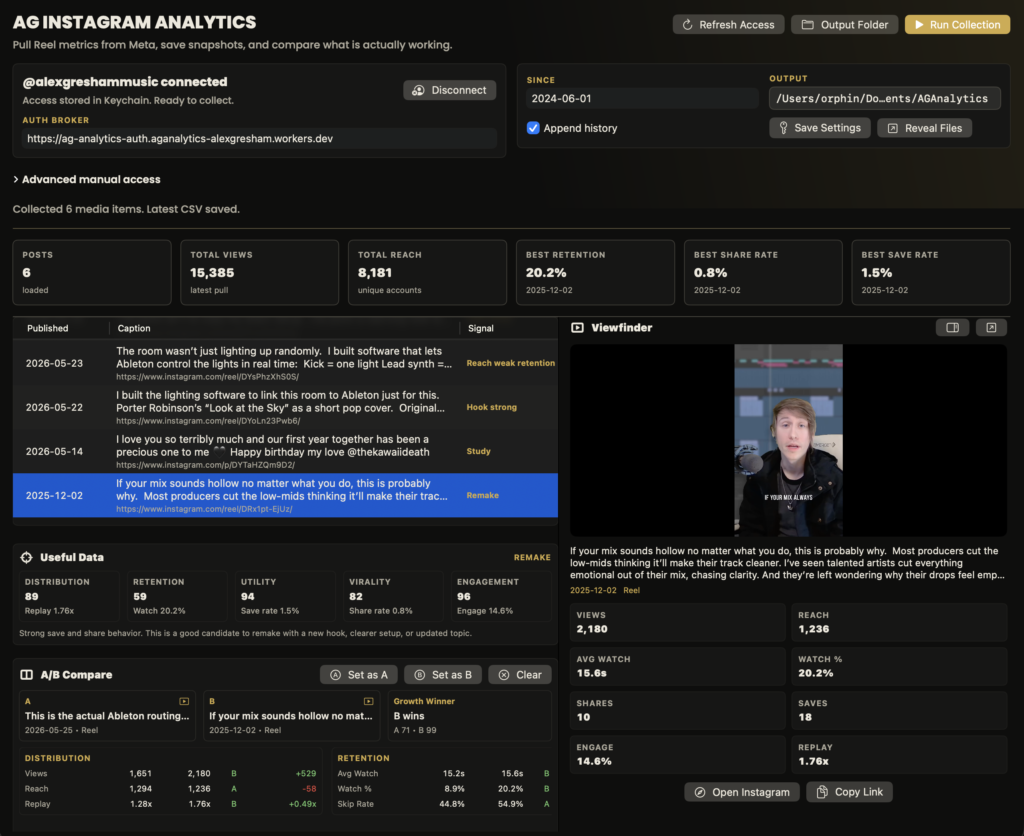
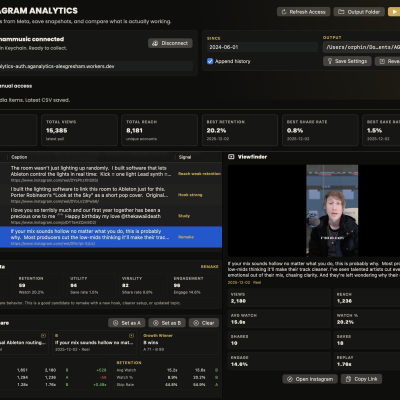
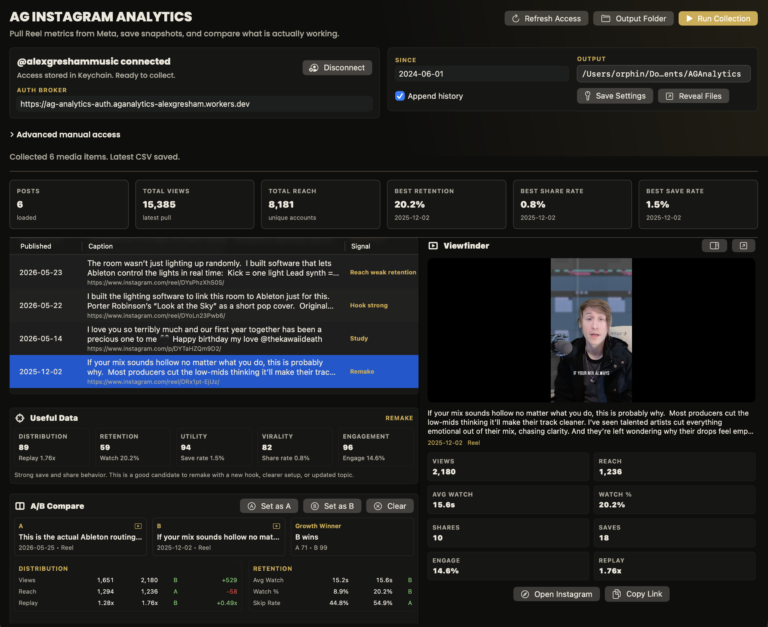
The app lets you look at your social media performance across a selected time frame and compare posts against each other.
Instead of only seeing one video at a time, you can start asking better questions.
For example, you can find out which posts brought in the most followers, which videos earned the most saves, where profile visits came from, which hooks held attention, and what formats performed best for your audience.
But I did not want this to be just another analytics dashboard.
So I built a creative taxonomy system into it.
In other words, you can tag each post based on the creative decisions behind it.
For example, you can track the video type, content pillar, hook type, hook length, audience, call to action, topic, format, and even what was actually said in the video.
As a result, the app becomes more useful than a standard insights page.
You are not just looking at numbers anymore.
You are studying your creative decisions.
Why This Matters
A post does not perform well just because the algorithm decided to be nice that day.
Usually, something about the content worked.
Maybe the hook connected. Maybe the topic mattered. Or maybe the audience was clear, the format made sense, or the call to action gave people a reason to respond.
Once you can see those patterns, you can make better creative decisions.
That is the real goal.
Not copying other creators.
Learning from your own audience.
If you are trying to understand why your own content is working or falling flat, this is also part of how I approach mentorship and creative strategy with artists, producers, and creators. You can learn more about working with me here.
What’s Next
I am going to keep building this and eventually release it publicly.
For now, I will be opening beta access to my current mentees so they can test it, use it on their own content, and help shape the next round of features.
Ultimately, this feels like the start of something really useful.